
Every Point Cited, Every Quote Checked Word for Word
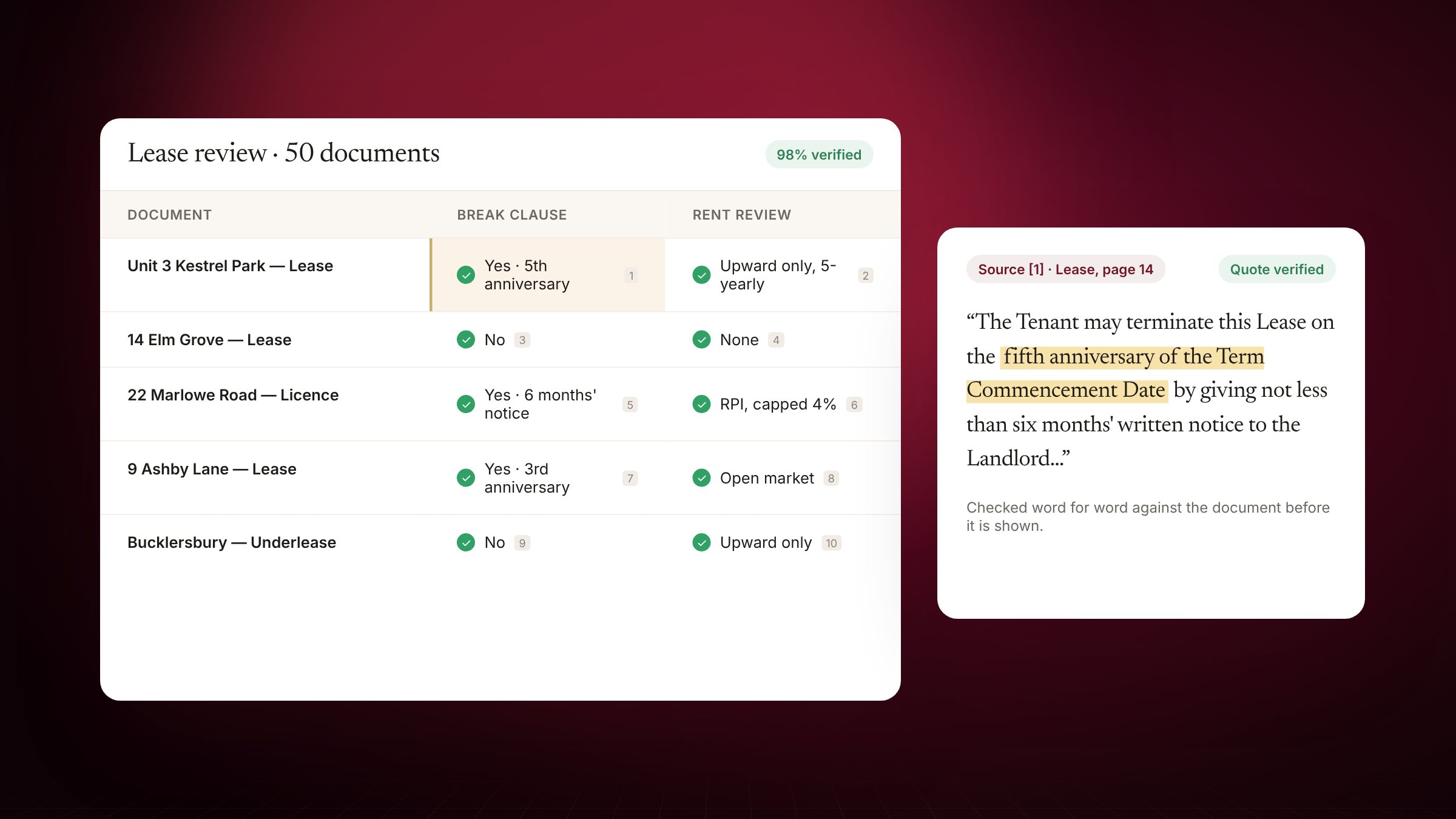
Juris cites the document, page or provision behind each point.
A legal answer is only as good as what stands behind it. General AI chat leaves you to check every claim. Juris shows you where each one came from.
Grounded in the matter
When Juris works on a matter it reads that matter's documents and email, and cites the source behind each point — the document and passage, or the official law it read. Points it can't ground are left out rather than guessed.
Review tables: every document, verified
Drop in leases, contracts or witness statements, choose the columns — break clause, rent review, change of control — or start from a template. Juris reads every file and fills the table. Each answer carries numbered citations, and each citation's quote is checked word for word against the document before the answer appears.
- Open the source
- Click a cell: the document opens beside it with the cited words highlighted.
- Verify and lock
- Mark answers verified, lock them so a re-run never changes them, or flag them for review.
- Assign
- Send a row to a colleague; they get a notice and an email that opens it.
And Cite Check for the other way round
Paste a draft and Cite Check confirms each case and provision exists, the name and pinpoint match, quotations are word for word and the law is in force — and shows you the difference when they aren't.